iPhone and iPad
Get Redvest from the App Store. Check the store listing for device compatibility and current purchase options.
Download on the App StoreiOS, Android and web
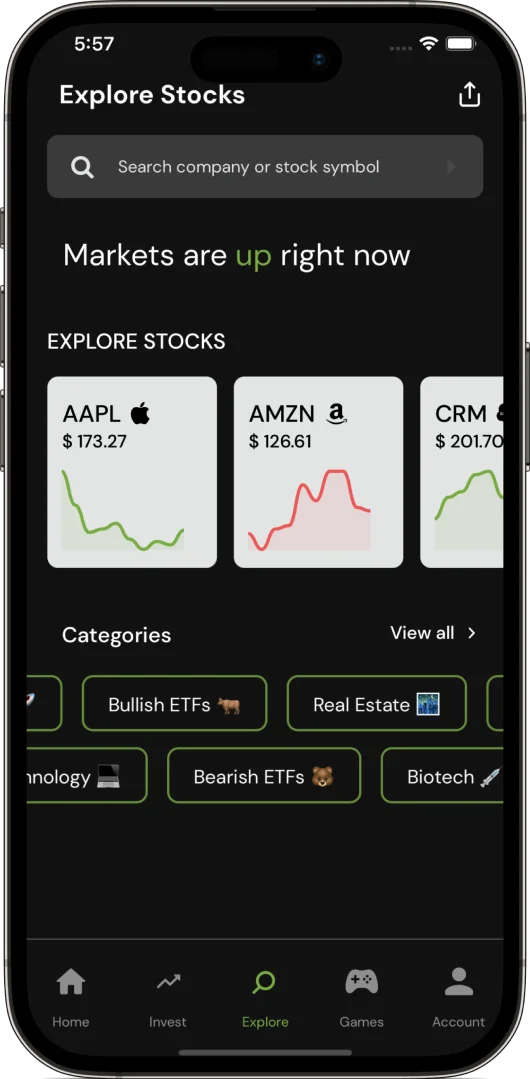
Learn investing with short games, free lessons and a virtual portfolio. Choose where you want to practice. No real-money deposit needed.
Get Redvest from the App Store. Check the store listing for device compatibility and current purchase options.
Download on the App StoreGet Redvest from Google Play. Check the store listing for device compatibility and current purchase options.
Get it on Google PlayOpen Redvest without installing an app. Explore as a guest, then create an account to save your learning progress.
Open Redvest in your browserAlready have an account? Sign in to Redvest. Need help? Contact support.
Yes. Open Redvest in your browser and choose Continue as Guest to explore. Create an account or sign in to save progress.
You can start with free lessons, learning games and virtual-money practice. Check the app store listing for any optional in-app purchases. No real-money trading deposit is needed.
No. A Redvest paper-trading account starts with $100,000 in virtual cash for practice. It cannot be withdrawn or exchanged for real money. Redvest Coins are separate game points.
Use the sign-in option for your existing Redvest account. Choose the same sign-in method you originally used instead of creating a second account. Contact support if you cannot access your account.